
Table of Contents
By Sam | Updated November 10, 2026. A current guide to Fire TV hearing-aid streaming based on Amazon’s own documentation.
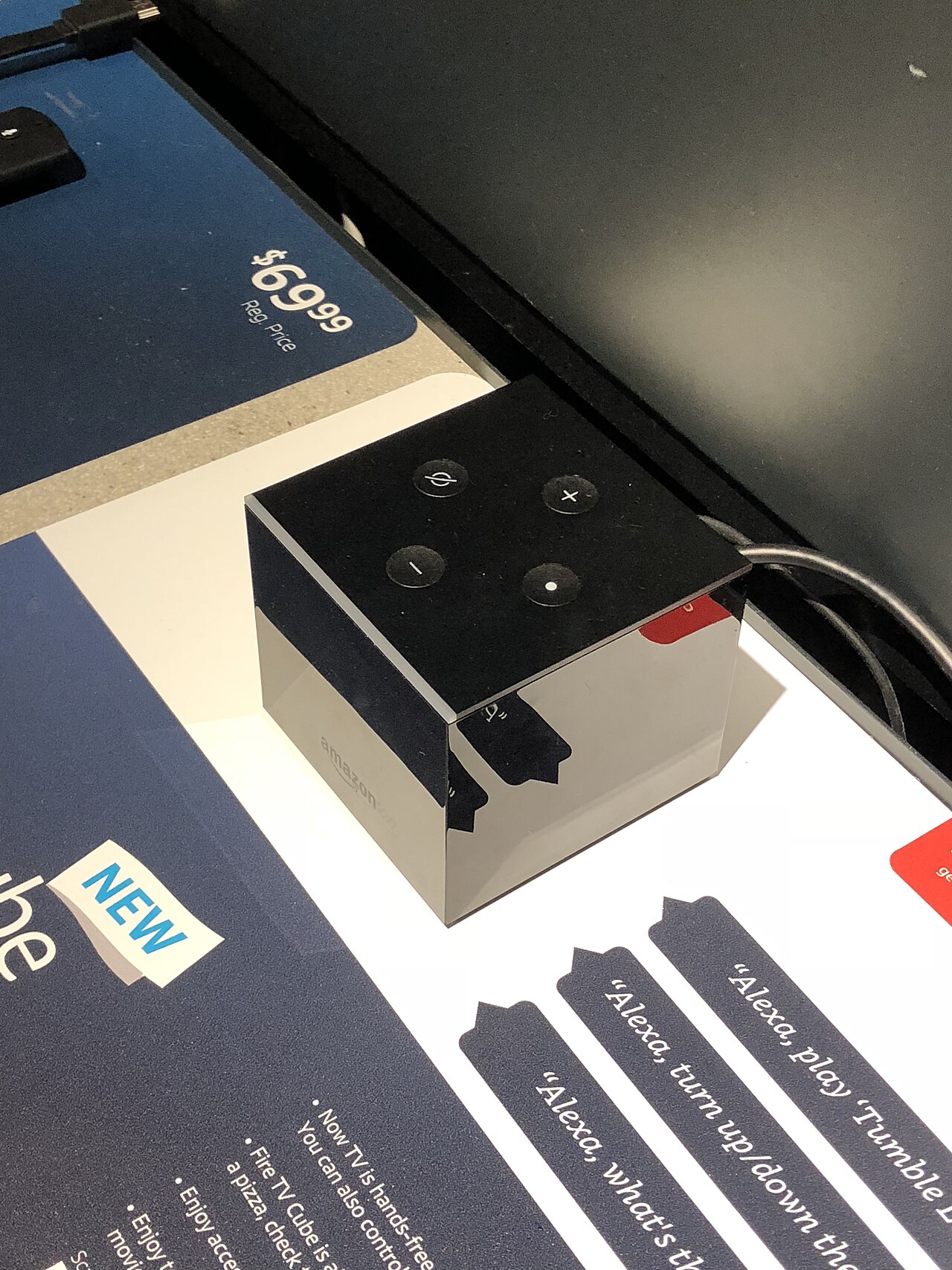
Amazon’s Fire TV Cube can send TV audio straight to compatible Bluetooth hearing aids, so people with hearing loss can hear shows directly in their ears instead of turning the TV up for everyone. The feature now also works on several other Fire TV devices. Here is which devices support it today, which hearing aids work, how to set it up, and what to do if it will not connect.
Key takeaways
- Fire TV Cube (2nd and 3rd Gen), Fire TV 4-Series, Fire TV Omni Series and Fire TV Omni QLED Series support streaming to compatible Bluetooth hearing devices.
- Amazon says “hearing aids” includes traditional hearing aids, cochlear implants and bone-conduction devices that are compatible.
- The feature uses Android’s ASHA (Audio Streaming for Hearing Aids) protocol.
- The Fire TV Omni Mini-LED Series adds Dual Audio, so the TV speakers and hearing aids can play at the same time.
Which Fire TV devices support hearing aids?
According to Amazon’s hearing accessibility page and its getting-started guide, the supported devices are:
- Fire TV Cube (2nd Gen)
- Fire TV Cube (3rd Gen)
- Fire TV 4-Series
- Fire TV Omni Series and Omni QLED Series
Amazon adds that the Fire TV Omni Mini-LED Series offers Dual Audio: a hearing-aid user can get audio delivered directly to their hearing aids while others in the room listen through the TV speakers. Fire TV Sticks are not on Amazon’s list for hearing-aid streaming, though compatible Bluetooth headphones are supported more widely.
Which hearing aids work?
The feature relies on ASHA, an open standard Google developed with GN Hearing and Cochlear and released with Android 10 in 2019, as WIRED explains. Amazon’s customer-service troubleshooting page names compatible Starkey, Widex and Cochlear devices on the Fire TV Cube. WIRED lists Cochlear Nucleus 8, Nucleus 7, Nucleus Kanso 2 and Baha 6 Max sound processors among supported devices. Cochlear’s own Baha connectivity guide also confirms that Fire TV uses ASHA to stream to its sound processors.
Not every Bluetooth hearing aid supports ASHA. Check with your audiologist or the manufacturer before you buy a Fire TV device for this feature.
How to pair hearing aids with Fire TV
- Disconnect your hearing aids from other devices. The simplest way is to turn Bluetooth off on your phone and tablet for now.
- On Fire TV, go to Settings > Accessibility > Hearing Aids > Add Hearing Aids.
- Put your hearing aids in pairing mode using the manufacturer’s method, such as opening and closing the battery door or briefly placing rechargeable aids in their case.
- Select Next to search. If you wear two aids, you will see both, possibly with the same name. Pair them one at a time.
- When you see that pairing succeeded, repeat for the second aid.
- Adjust settings later under Settings or Quick Settings by holding the Home button.
Amazon recommends a 5 GHz Wi-Fi connection and staying within about 10 feet (3 meters) of the Fire TV with a clear line of sight.
Troubleshooting
Amazon’s troubleshooting guide suggests:
- Make sure the aids are not connected to another device; they can link to only one at a time.
- Fully charge and restart the hearing aids.
- Move closer to the Fire TV and switch to 5 GHz Wi-Fi.
- Disconnect, then reconnect under Settings > Accessibility > Hearing Aids.
What about Bluetooth LE Audio and Auracast?
Bluetooth LE Audio, completed at the end of 2022, adds standard hearing-aid support and Auracast broadcast audio. Newer hearing devices, such as Cochlear’s Baha 7, support LE Audio. Amazon’s current Fire TV documentation describes hearing-aid streaming through ASHA, so check device pages for any LE Audio updates before buying.
Looking for something to watch once you are set up? Browse our Netflix movies for 2026, or see which music services work on Google Nest speakers.
Tips for the best listening experience
- Keep aids charged. Streaming can drain hearing-aid batteries faster, so start a movie night with a full charge.
- Reconnect your phone afterward. Because hearing aids connect to one device at a time, you may need to switch back to your phone after watching.
- Use captions too. Fire TV also offers closed captions, which can help with fast dialogue or noisy scenes.
- Ask your audiologist. They can confirm whether your model supports ASHA and adjust streaming settings in your hearing aids’ programming.
If your hearing aids are not ASHA-compatible, other options include compatible Bluetooth headphones paired with Fire TV, or a TV streamer accessory sold by your hearing-aid maker. Check with the manufacturer for what works with your specific model.
FAQ
Can Fire TV Stick stream to hearing aids?
Amazon’s hearing-aid list names the Fire TV Cube (2nd and 3rd Gen), Fire TV 4-Series and Omni models, not Fire TV Sticks.
Do cochlear implants work with Fire TV?
Compatible Cochlear sound processors can stream from supported Fire TV devices using ASHA.
Can others hear the TV while I use hearing aids?
On most supported models, audio goes only to the hearing aids. The Fire TV Omni Mini-LED Series offers Dual Audio for both at once.
Where is the setting?
Settings > Accessibility > Hearing Aids > Add Hearing Aids.
Sources: Amazon, Hearing Accessibility; Amazon Fire TV hearing aid getting-started guide; Amazon troubleshooting; WIRED; Cochlear Baha connectivity guide.
Photo: FASTILY / Wikimedia Commons, CC BY-SA 4.0 (https://creativecommons.org/licenses/by-sa/4.0)